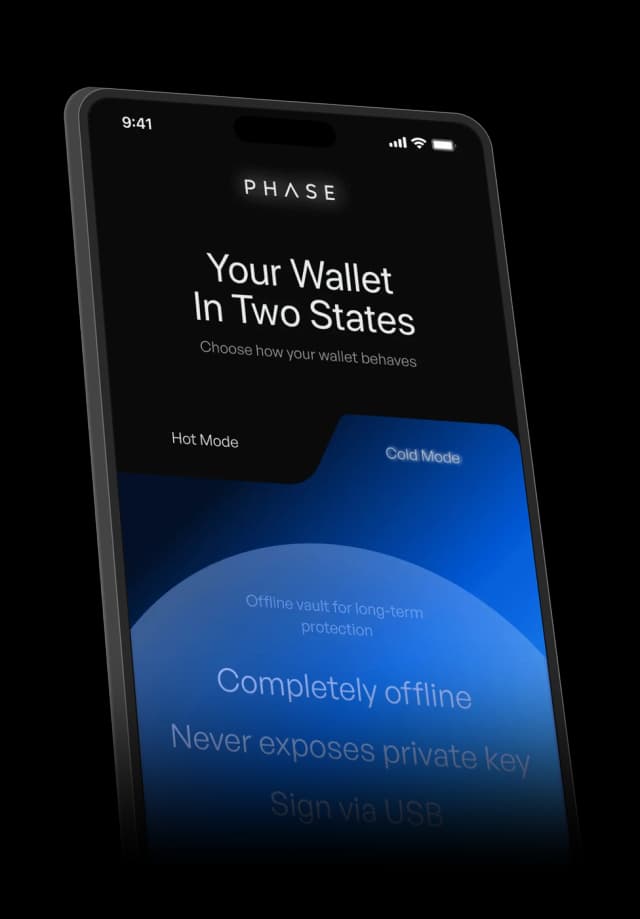
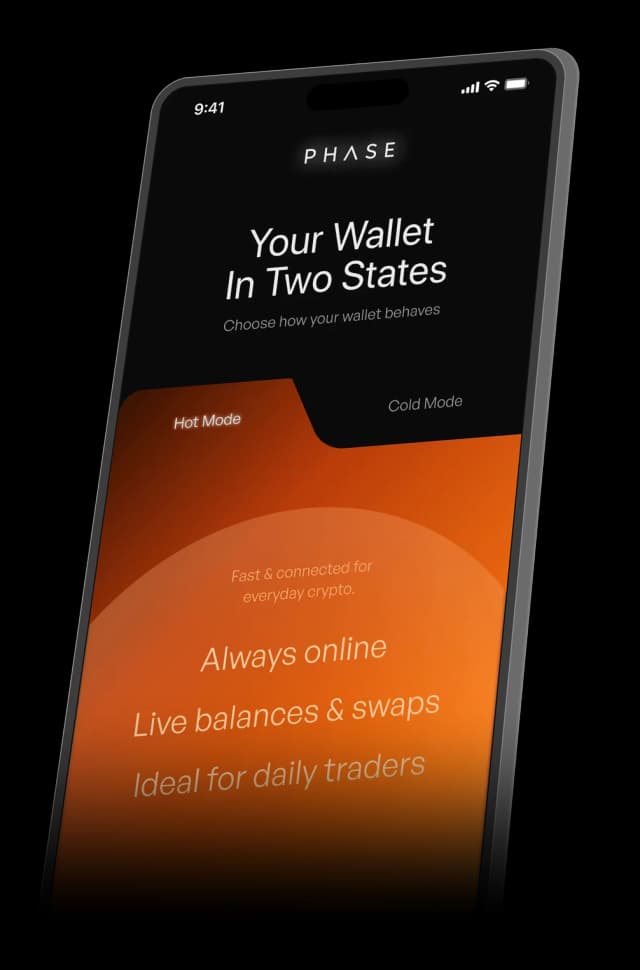


Crypto wallets make people choose: a hot wallet that’s fast but exposed, or a cold wallet that’s safe but slow and needs its own hardware. PHASE is a concept wallet with two states in one app. Hot Mode for everyday moves, Cold Mode for offline signing, and a gated switch between them.
- Role
- Product designer, end to end: research, flows, UI and design system
- Team
- Self-directed concept, designed in Figma
- Users
- Everyday traders and long-term holders in Web3
- Scope
- Onboarding, two wallet modes, backup, signing and failure states
40%
never finish setting up a hardware wallet
73%
say hardware wallets are too complex
20%+
of Bitcoin lost to failed recovery
2
modes, one wallet, one identity
01The problem
Self-custody makes people choose: fast or safe.
A hot wallet is always online, so it’s quick but exposed. A cold wallet keeps the key offline, so it’s safe but slow, and it needs its own device. Most people pick fast and live with the risk.
- Context: PHASE is a self-directed concept for a mobile crypto wallet. I ran user interviews, market research and competitive audits to find where people give up on securing their assets.
- Core problem: Custody is decided once, at setup. But risk changes all day. A small swap and a life-savings transfer get the same security.
- Goal: One wallet, one identity, that is fast for small moves and deliberately slow for big ones.
Pain point
Setup cost
40%
What it means: Of users never finish setting up a hardware wallet, so assets stay unsecured by default
Complexity
73%
What it means: Call hardware wallets “too complex” and stay in less secure hot wallets
Recovery fear
20%+
What it means: Of all Bitcoin is estimated lost to failed recovery, so backup feels final, not safe
What I heard in interviews
- Switching breaks the flow: Moving between apps or devices mid-transaction makes people hesitate, abandon the action, or make mistakes while signing.
- Known risks are accepted: People stay in hot wallets because the safer path interrupts everyday use. Keys kept in memory are a silent risk they can’t see or control.
- A false sense of safety: Hybrid wallets still expose keys to networked environments, and users can’t tell when. The failure only shows up after the loss.
02Approach
Treat security as a mode, not a product.
Across interviews and audits the pattern was the same. People weren’t confused by screens. They were confused by when and how security applied. So instead of a better hot wallet or a friendlier cold wallet, I designed one wallet that changes state with the user’s intent.
Phase: Comprehend
Focus: Why people quitWhat it meant: Interviews, market research and audits of hot, cold and hybrid wallets
Phase: Identify
Focus: Two momentsWhat it meant: Everyday moves that are small and frequent, and high-stakes moves that are rare and irreversible
Phase: Prioritise
Focus: Where trust breaksWhat it meant: Setup, mode switching, backup, and the seconds before signing
Phase: Solve
Focus: Two states, one identityWhat it meant: Hot Mode for speed, Cold Mode for offline signing, and a gated switch between them
Phase: Measure
Focus: Confidence, not clicksWhat it meant: Fewer unsafe defaults, no silent downgrades, and backups that get finished
The everyday trader
Swaps and sends small amounts most days. Wants it done in seconds.
- Lives in a hot wallet
- Won’t buy or carry hardware
- Accepts risk to avoid friction
The long-term holder
Moves large amounts rarely, and fears one wrong tap.
- Wants the key offline
- Dreads seed phrases and recovery
- Needs to see that the vault is really sealed
Security shouldn’t require
Interrupting an active task, switching devices or environments, or relearning how actions work. Those three rules shaped every screen.
Hot Mode
Always online
- Real-time balances
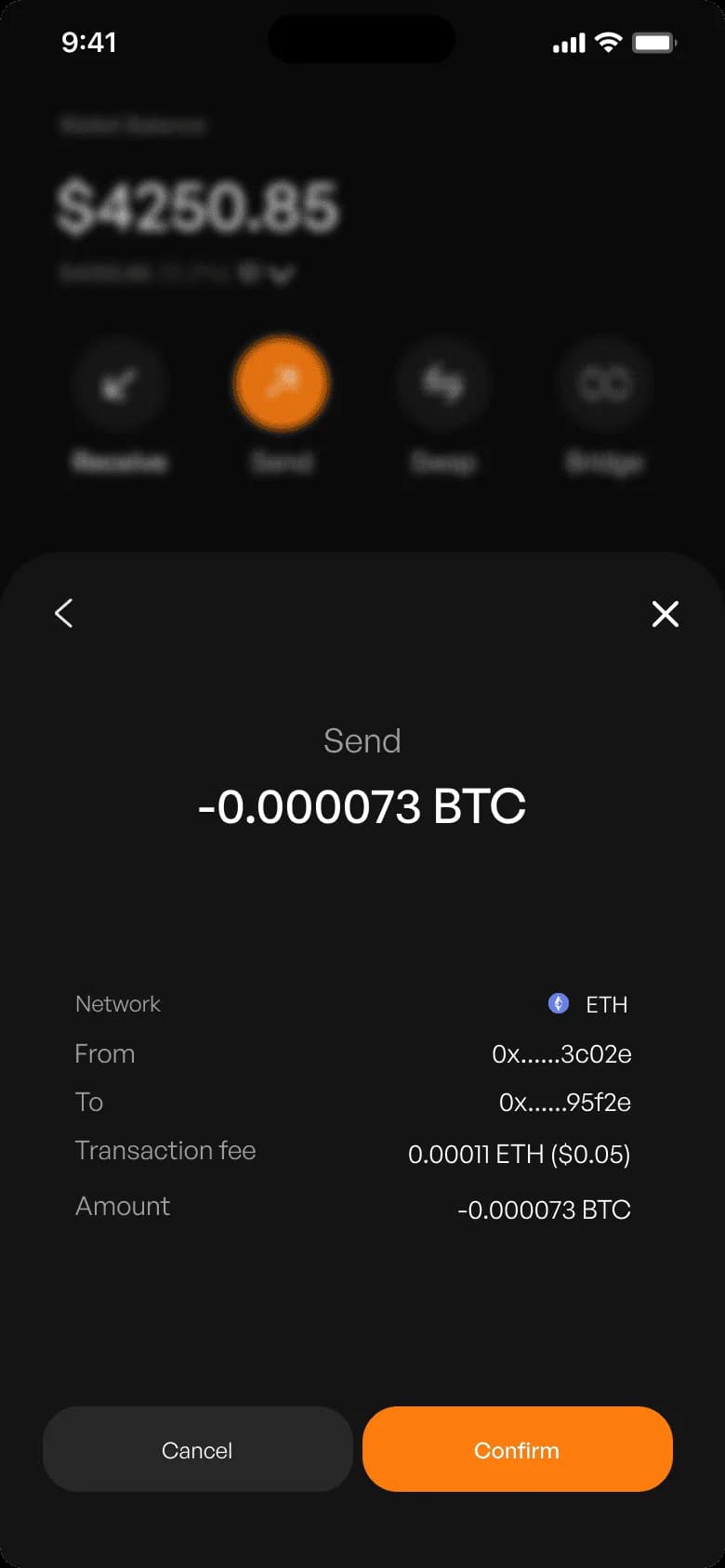
- Sign and broadcast in one flow
- Swaps, sends, bridges, approvals
Gated switch
Cold Mode
Completely offline
- Key never touches the network
- Air-gapped signing over USB
- Outbox to broadcast later
03Key decisions
Five calls that shaped PHASE.
Every screen is from the PHASE concept, designed in Figma. It is not a live product yet.
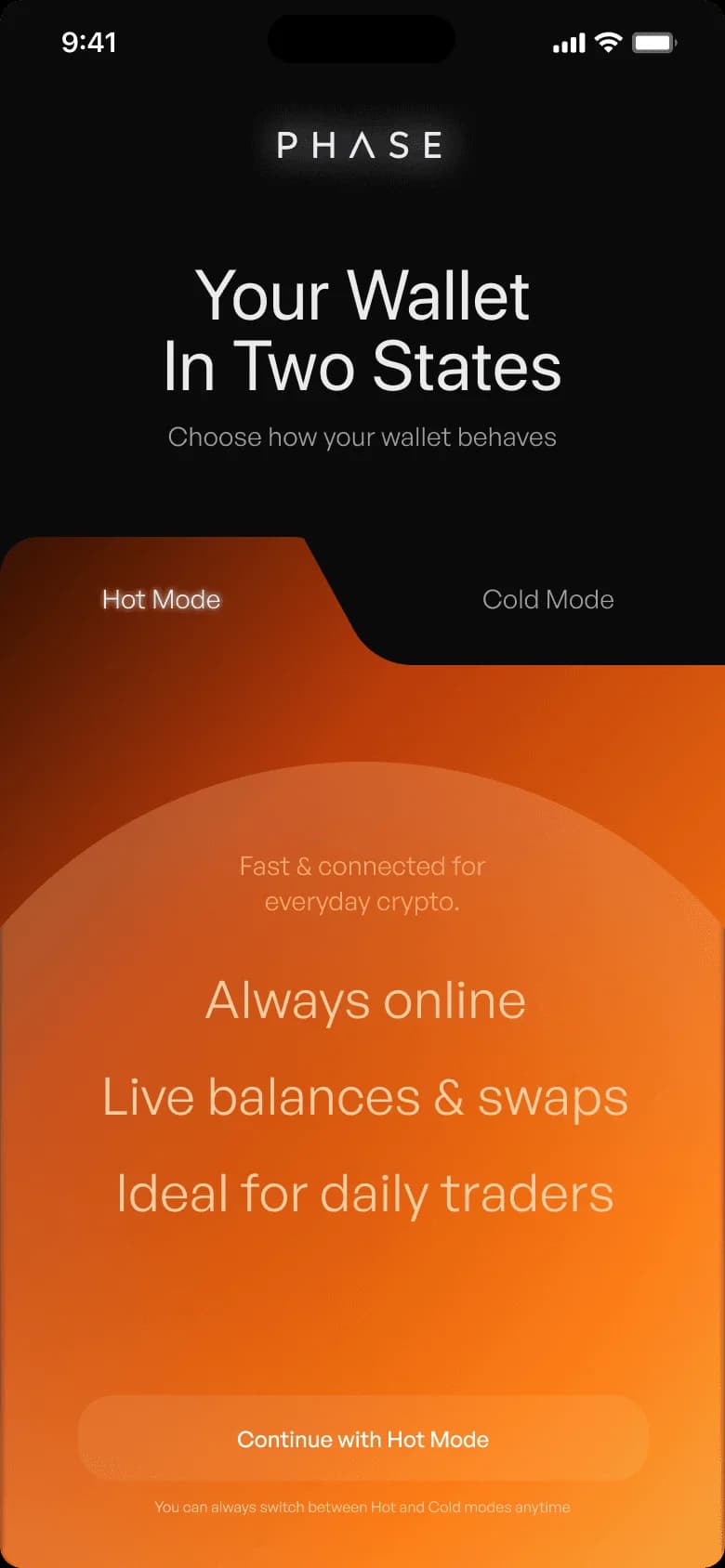
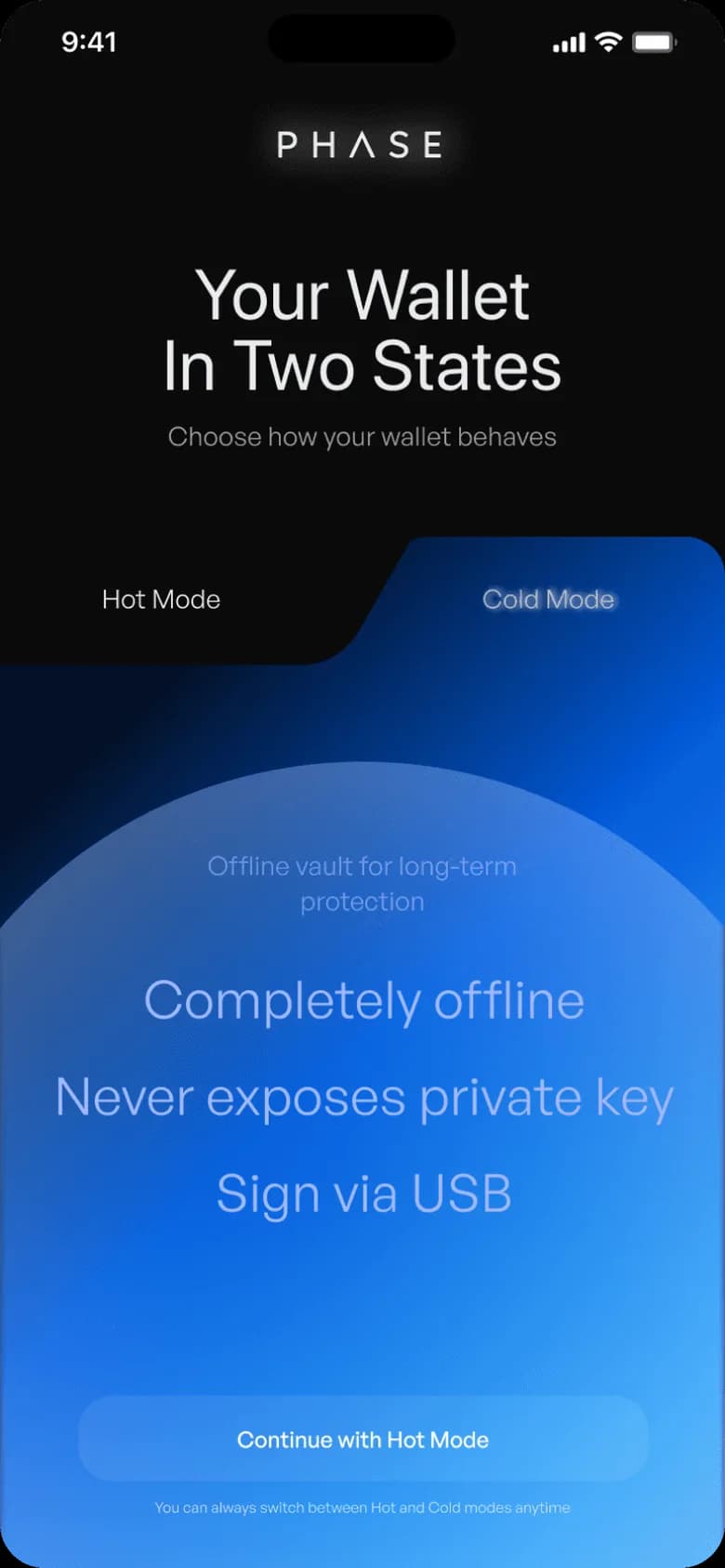
01 · Onboarding
Choose a behaviour, not a cryptography lesson
- The risk:
- Asking people to understand keys and air gaps up front is where 40% drop out.
- Decision:
- The first choice is simple: Hot or Cold. Each mode explains itself in three lines. Backup is chosen after the mode, so a hot wallet never gets secured like a cold one, or the other way round.
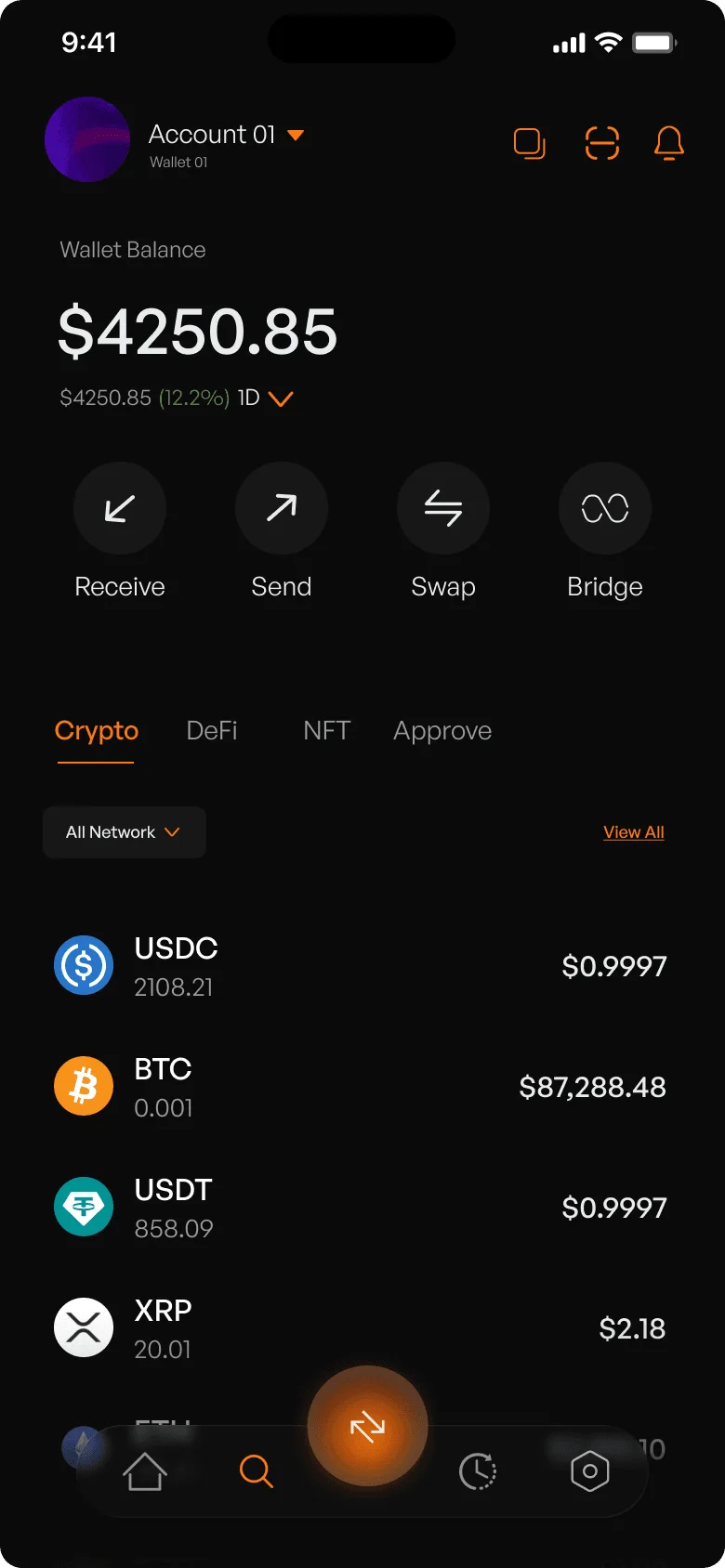
02 · Hot Mode
Four actions on home, nothing else
- The risk:
- Every extra button on a wallet home screen is one more way to move money by mistake.
- Decision:
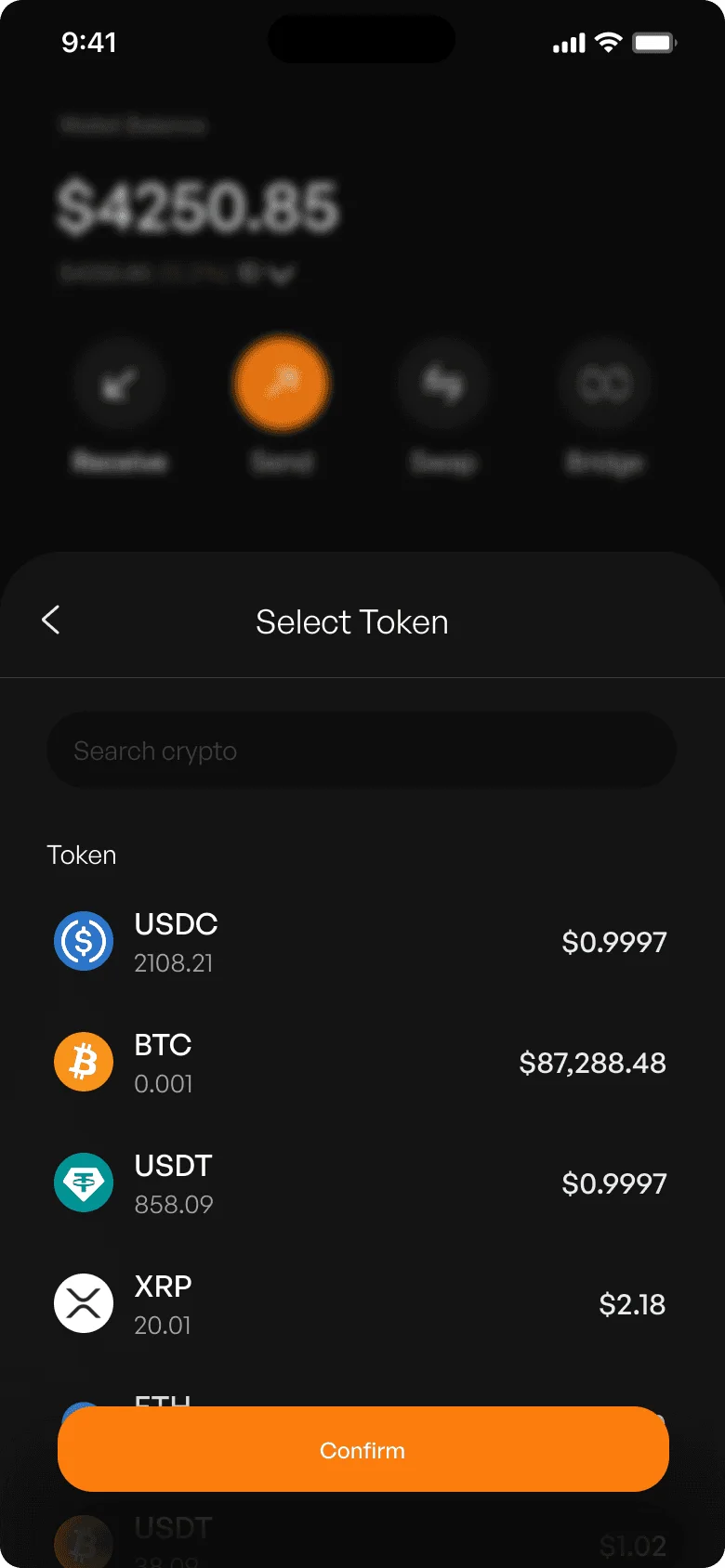
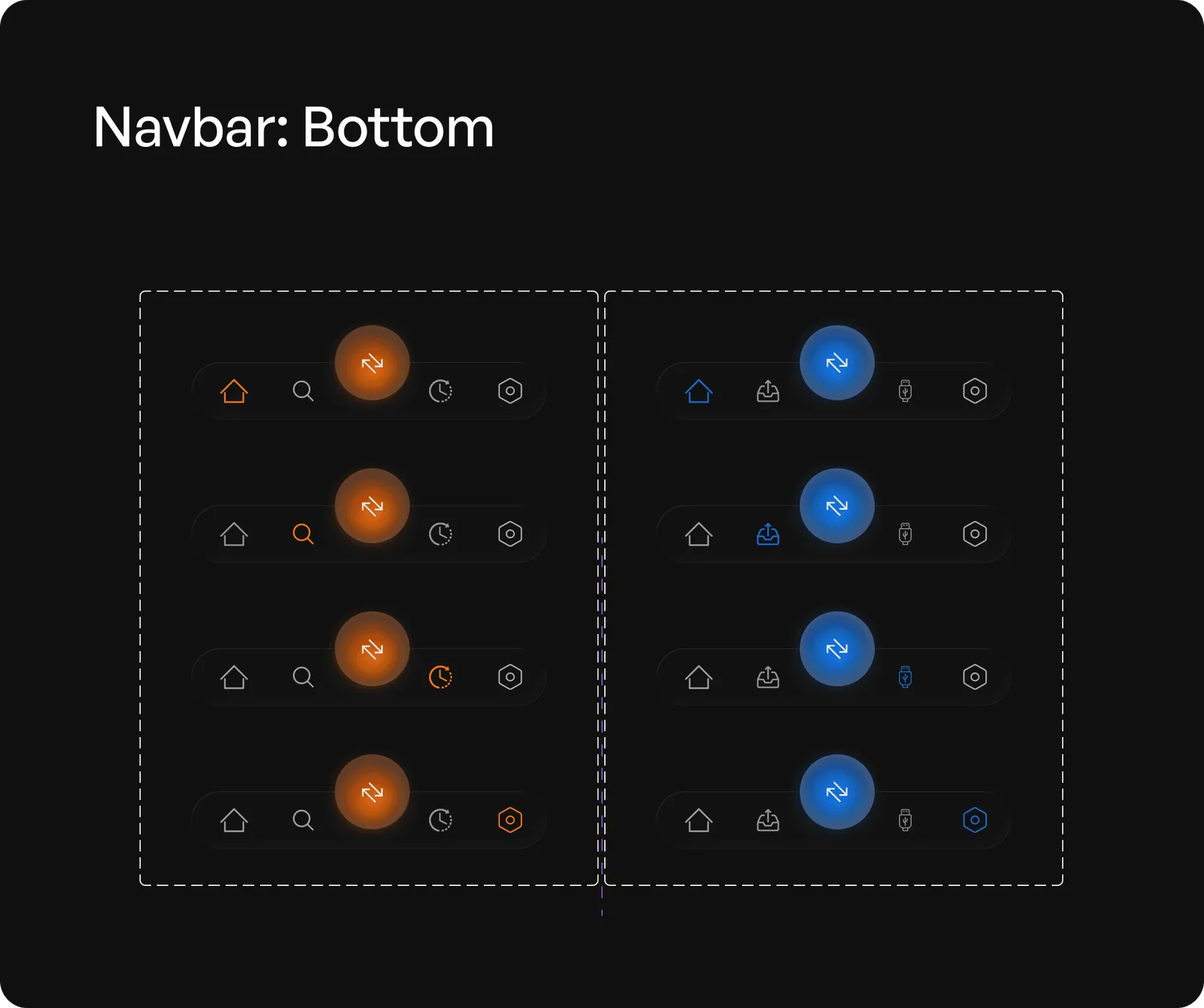
- Home holds only the four actions that move value: Receive, Send, Swap and Bridge. Approvals, discovery and account settings move to secondary navigation. Hot Mode signs and broadcasts in one flow.
03 · Cold Mode
Compose online, sign offline, broadcast later
- The risk:
- A cold wallet that needs its own device gets skipped. One that is secretly online isn’t cold.
- Decision:
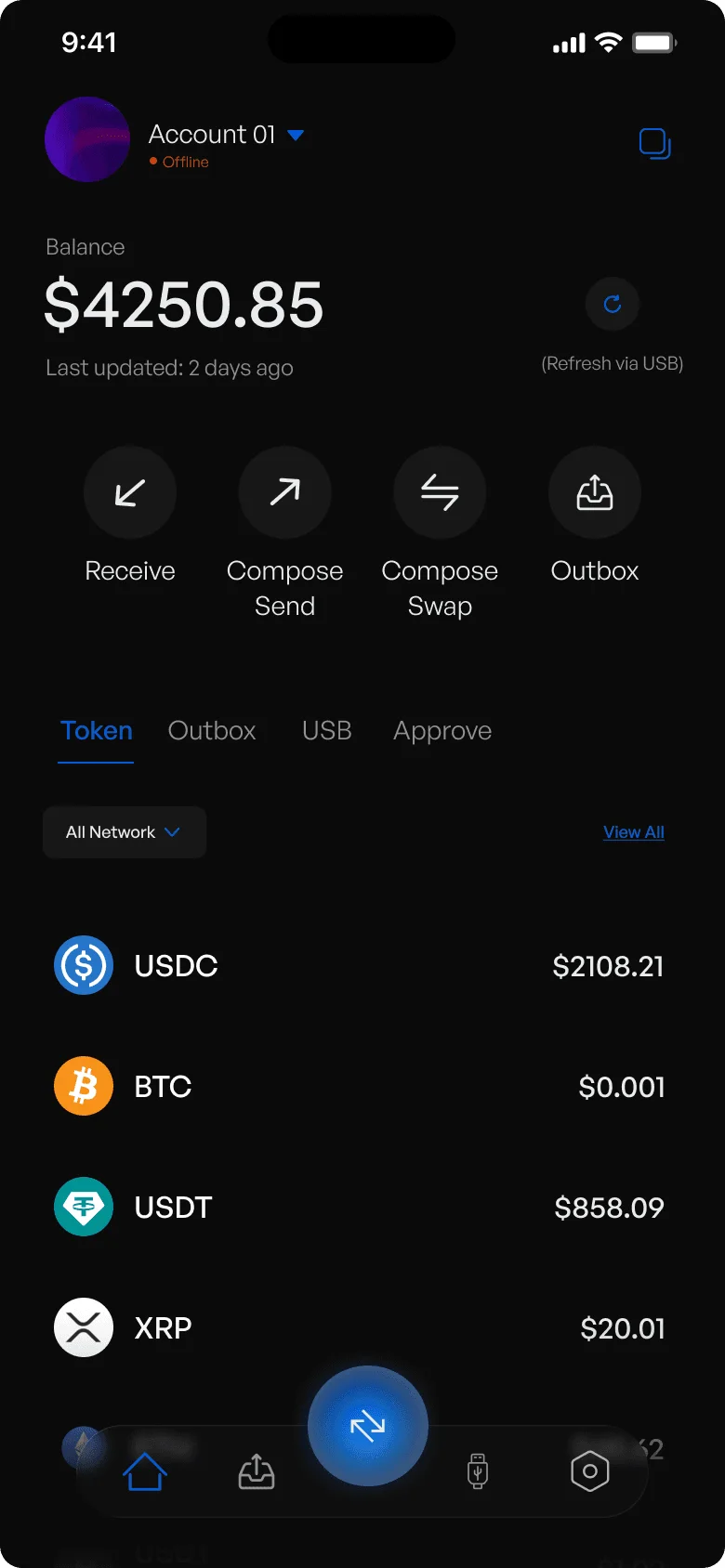
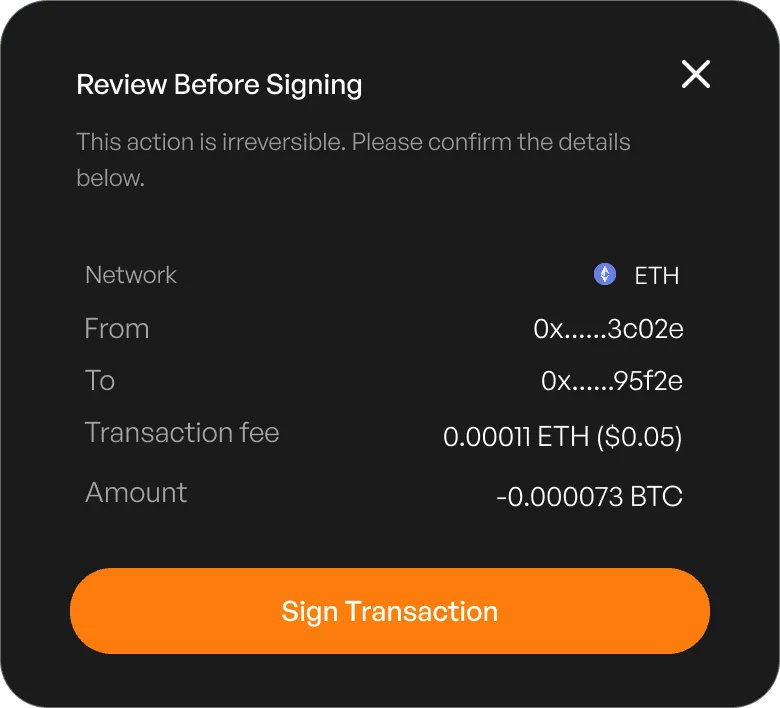
- Cold Mode is offline by default. Sends and swaps are composed, then signed with an encrypted key on any USB device, then queued in an Outbox to broadcast when the user chooses. Each step is a checkpoint before anything irreversible.
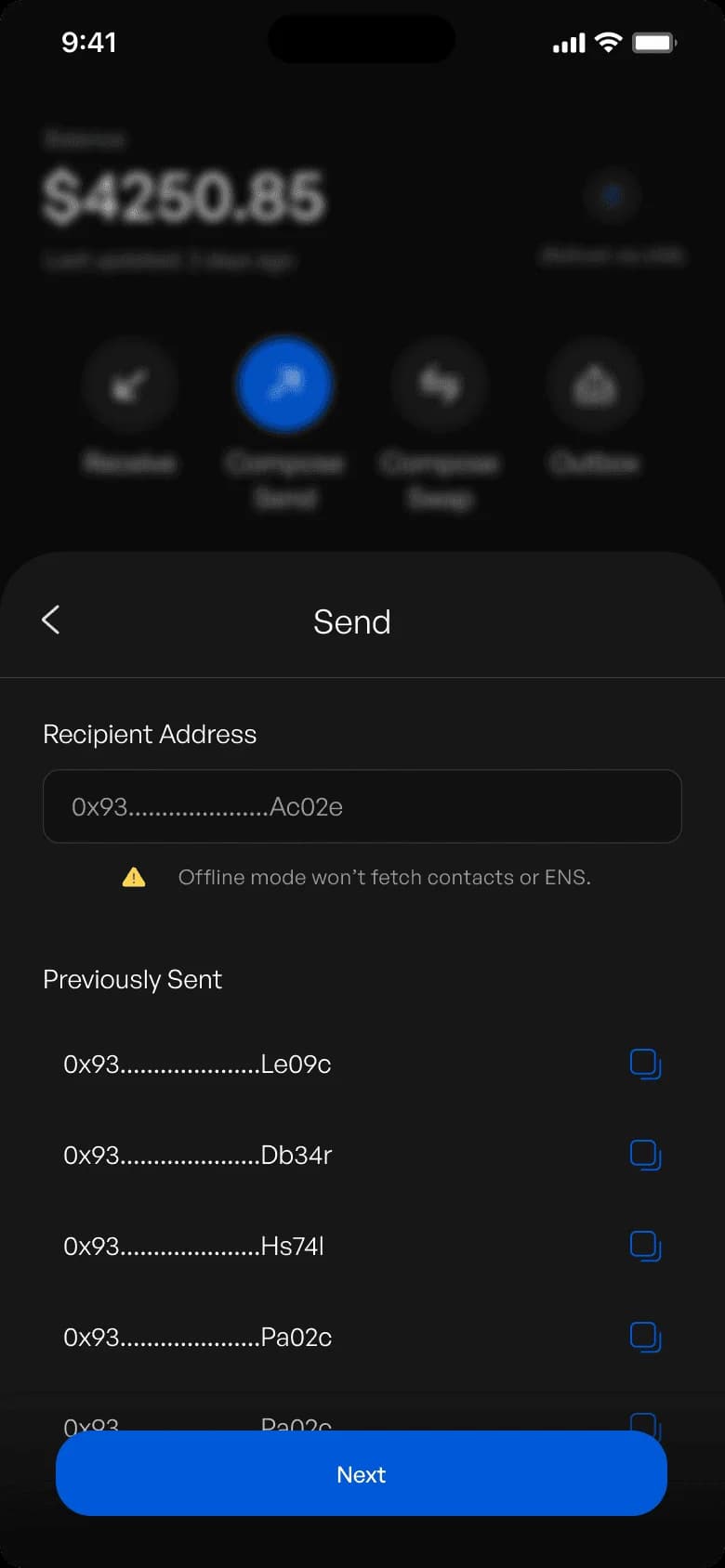
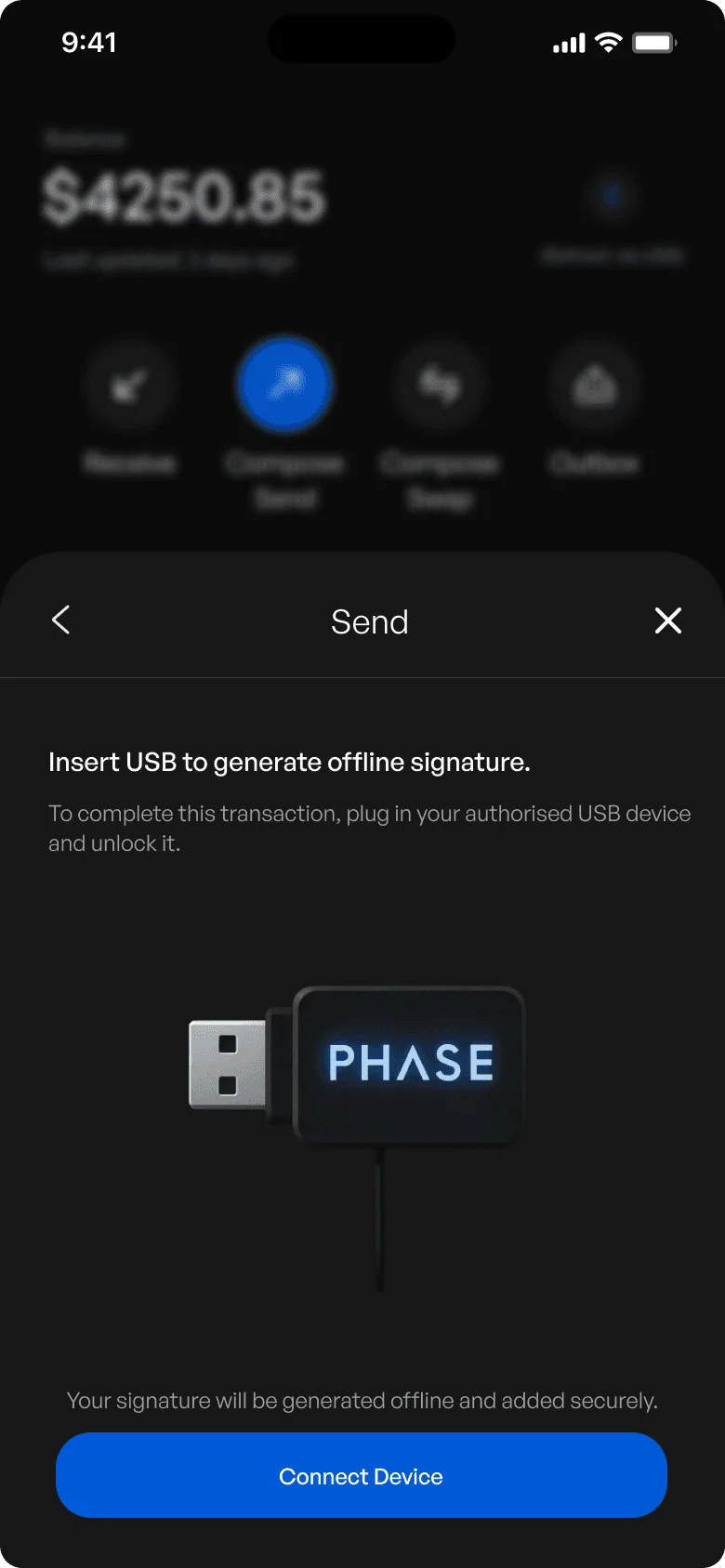
Hot Mode · online
Compose
amount, to, fee
Sign & broadcast
one tap, one flow
Cold Mode · offline
Compose
offline, no ENS
Insert USB
encrypted key
Sign offline
review first
Outbox
safe pending state
Broadcast
when you choose
04 · Backup
Backup matches the mode
- The risk:
- Seed-phrase anxiety is the biggest reason people never finish securing a wallet.
- Decision:
- Hot Mode backs up an encrypted passkey to iCloud or Google Drive, so recovery is fast and familiar. Cold Mode writes the encrypted key to a USB drive, so custody is truly air-gapped without buying proprietary hardware. Backup status stays visible, and the app warns before a risky action if recovery isn’t finished.
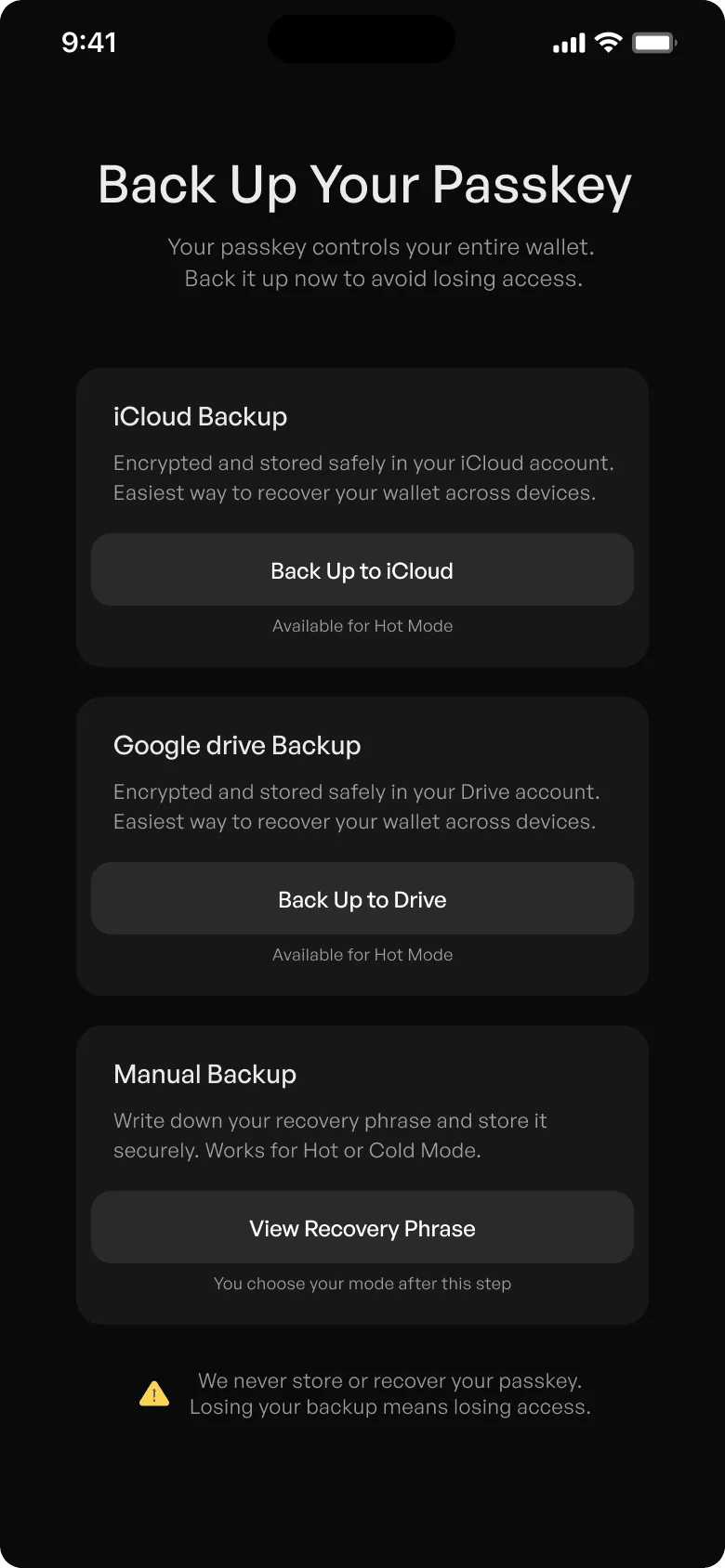
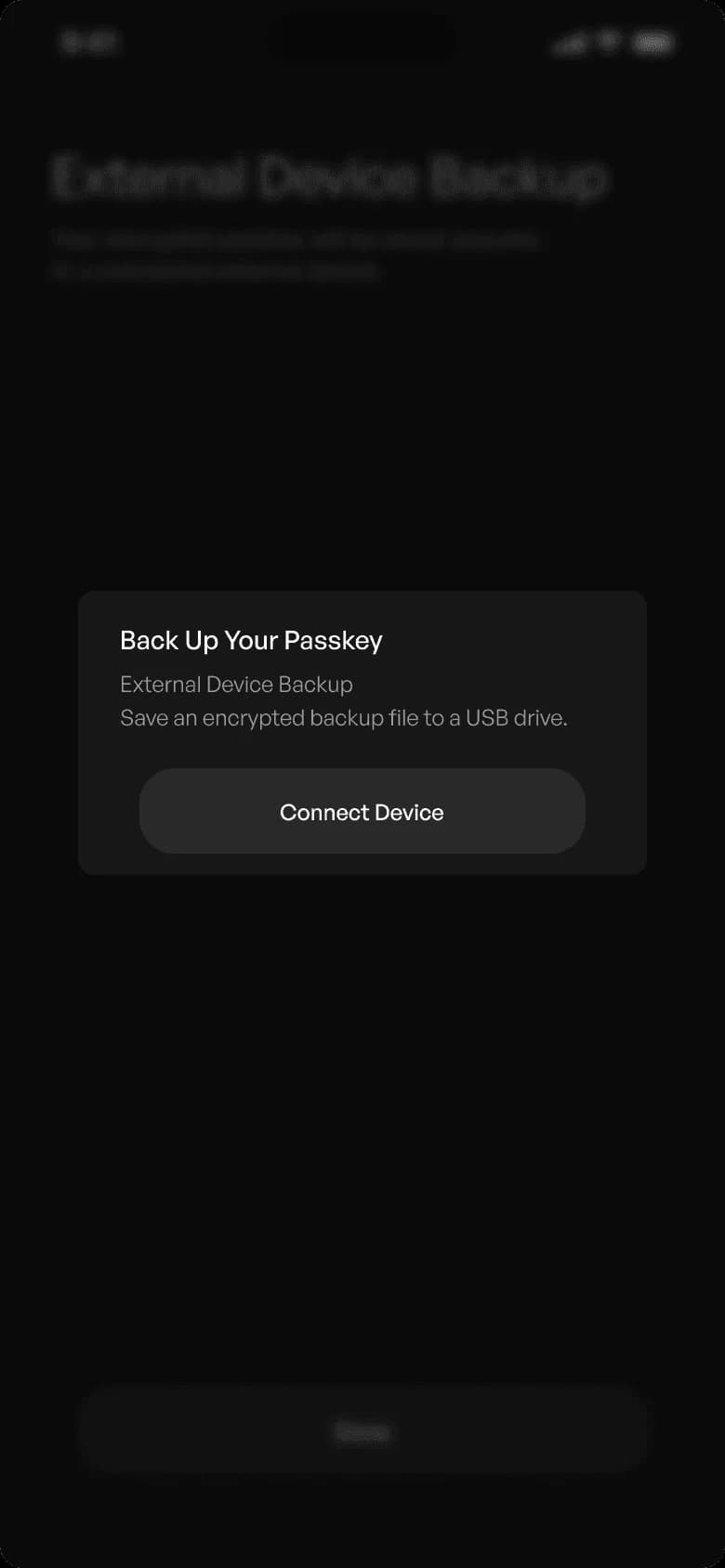
05 · Switching
Mode changes are intentional and gated
- The risk:
- Slipping from Cold to Hot without noticing silently lowers your security.
- Decision:
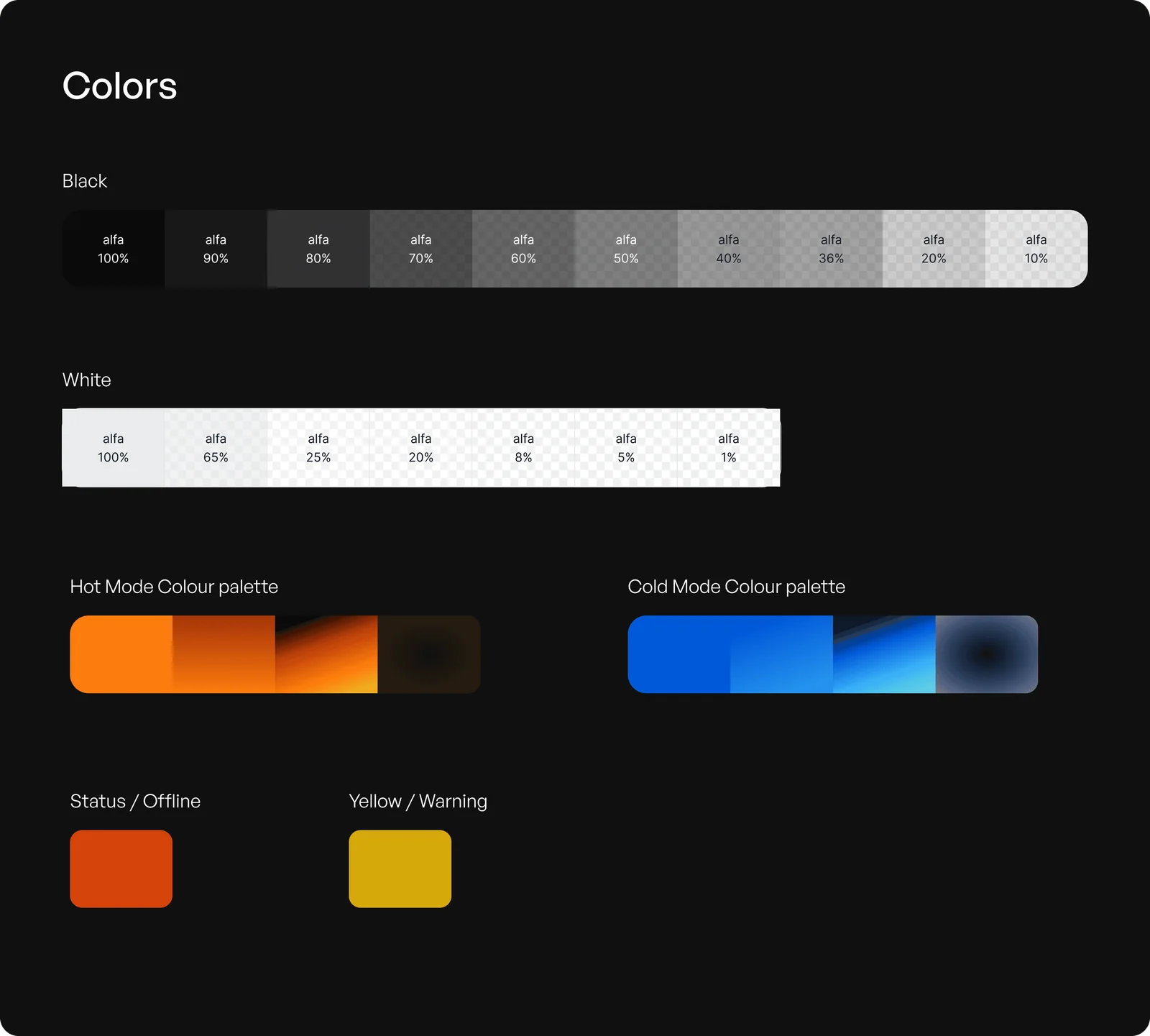
- Switching asks why. Pending transactions stay in a safe state, and the new mode is reinforced in colour, copy and behaviour before any action is allowed. Hot is orange and Cold is blue, on every screen.
A design system with two temperatures
One set of components, two palettes. Orange means online and fast. Blue means offline and deliberate. The bottom bar, buttons and status chips all change with the mode, so you always know which state you’re in.
04Edge cases
Designing for the moments things go wrong.
In self-custody, mistakes are permanent. So I spent as much time on failure as on the happy path. Four cases shaped the safeguards.
01 · Edge case
Accidental mode switch
- The risk:
- Someone drops from Cold to Hot without meaning to, and keeps a false sense of safety while high-value assets are exposed.
- Safeguard:
- Transactions stay pending. The switch asks for a reason, and the new mode is shown in colour and behaviour before any action is allowed.
- Principle:
- Prevent silent degradation of security.
02 · Edge case
Interrupted cold signing
- The risk:
- The USB is pulled, power is lost or the app is killed mid-signature. People fear funds are gone, retry blindly, or act rashly under stress.
- Safeguard:
- The transaction stays in a safe pending state. Clear status says nothing irreversible happened. Resume or discard, with no penalty.
- Principle:
- Allow safe interruption without punishment.
03 · Edge case
Incomplete backup
- The risk:
- Steps get skipped, cloud or USB backups get misconfigured, and recovery is assumed to be set up when it isn’t. The result is permanent loss, noticed too late.
- Safeguard:
- Backup status is always visible and in context. Warnings come before risky actions, and they inform instead of scare.
- Principle:
- Reduce fear without hiding consequences.
04 · Edge case
Time pressure
- The risk:
- Volatile markets and emotional moments lead to rushed signing, accidental approvals and regret.
- Safeguard:
- Cold Mode slows the user down on purpose. High-risk transactions show context and consequences. There is no one-tap approval for anything security-critical.
- Principle:
- Friction is a tool when stakes are high.
Five principles
- Security scales with intent: Low-risk actions feel effortless. High-risk actions feel deliberate.
- No silent failure: Nobody should weaken their security without knowing it.
- Recognition over recall: The active mode is obvious at all times, in colour and in behaviour.
- Friction is a tool, not a flaw: Added on purpose, only at moments of irreversible risk.
- Recovery should reduce fear: Backup must feel survivable, not final.
05Business case
A wallet that grows into custody infrastructure.
Market
Crypto wallets
~$100B
What it means: Projected market size by the early 2030s, with strong long-term growth
Hardware wallets
4×
What it means: Expected growth by 2030, still held back by device complexity
Hot wallet share
~70%
What it means: Of usage. People want convenience, even at higher risk
Crypto wallet market · USD billion
$0.0B
2024
$0.0B
2025
$0.0B
2033 · projected
One wallet. Two states. Zero compromise.
PHASE serves the fastest-growing group in Web3: people who want security without giving up usability. One identity across both modes. No hardware to buy, no firmware to update. Switching states in seconds, and high trust when signing and storing.
Revenue model
- Swap fees: from in-app swaps through aggregators.
- Bridge fees: cross-chain routing through third-party protocols.
- Premium recovery: encrypted multi-location backups: cloud, USB and MPC.
- Institutional custody: role-based wallets, approval workflows and policies.
- Cross-chain routing: dynamic fee-sharing from routing optimisations.
Security becomes a mode, not a separate product. That lets PHASE scale from retail users, to power users, to institutions, without a migration to new tools.
06Impact & next
What PHASE changes, and what I’d test first.
What it achieves
- No hardware wallet needed: lower friction on the way to being secure.
- One experience: less mental overhead than juggling apps, devices and backup flows.
- Keys never online in Cold Mode: a stronger security baseline.
- Control stays with the user: true self-custody. Faster than hardware wallets, safer than hot wallets, simpler than both.
Trade-offs
- Two modes to learn: more than a plain hot wallet asks. The onboarding choice and strong colour coding carry that cost.
- USB signing: needs a cable or adapter on a phone. Cheaper than a hardware wallet, but not zero.
- Concept, not shipped: the numbers here come from research, not production. The next step is measuring.
Next
- Test the gate: watch people switch modes and count accidental downgrades.
- Backup completion: measure how many finish backup in each mode, and where they stop.
- Interrupted signing: pull the USB mid-sign in usability tests and see if people trust the pending state.
What I learned
Friction is a tool. Spend it only where mistakes are permanent.
This wasn’t about designing a wallet. It was about designing trust, clarity and control into a system where mistakes can’t be undone. Treating custody as a state instead of a product removes the trade-off between speed and safety.