

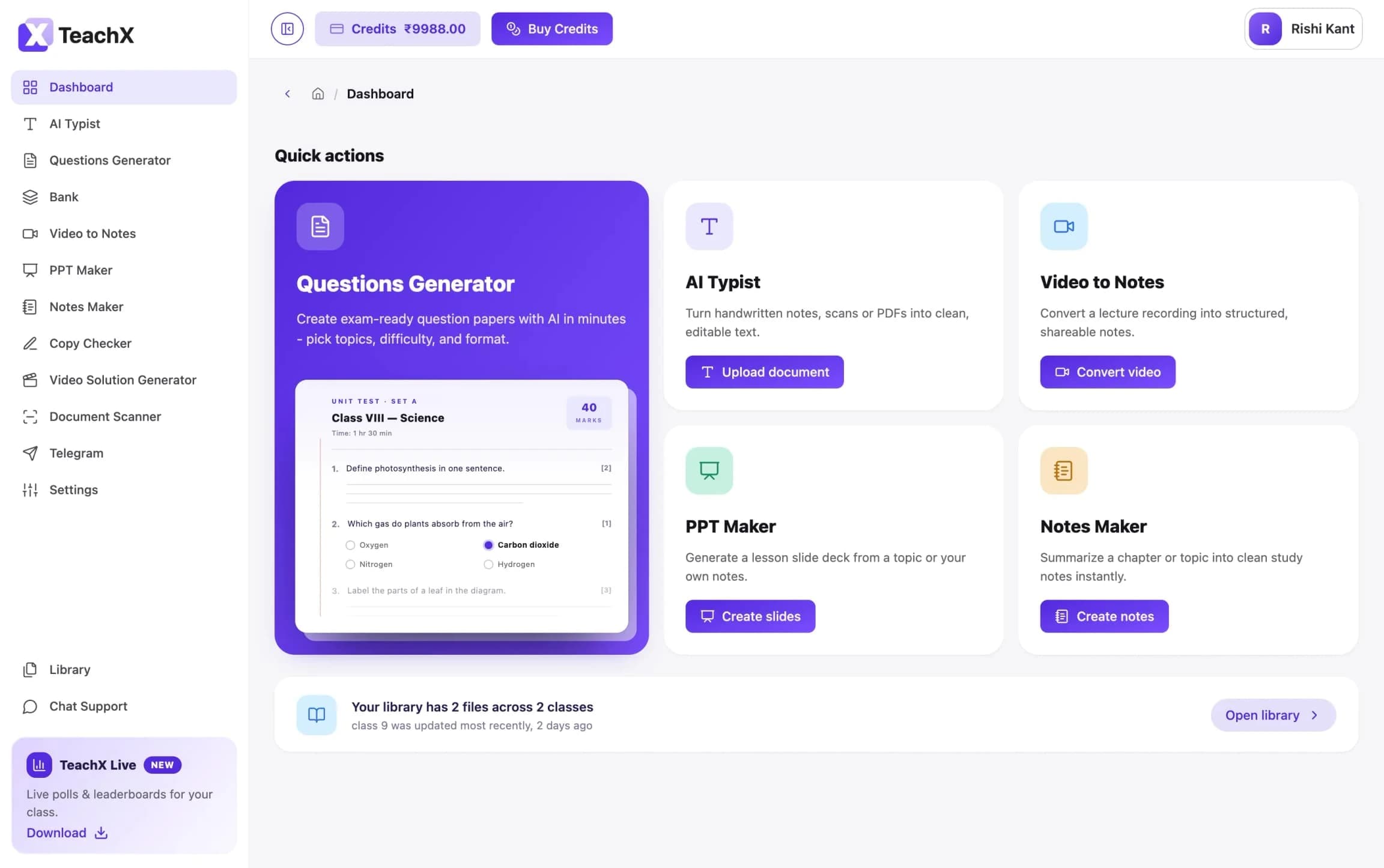
AppX’s educators sold courses on our platform but did their real prep somewhere else, by hand. I took teachX from idea to live product: an AI workspace where teachers turn their own material into notes, papers, slides and graded answer sheets.
- Role
- Head of Product. Problem, features, flows and every screen
- Team
- Founder and engineering, in fast iteration loops
- Users
- Educators, tutors and coaching centres
- Scope
- Built from zero 16 AI tools
311
teachers signed up
76%
of active teachers came back
1,085
AI tasks completed
0
failures grading handwritten sheets
01The problem
Teachers were losing their evenings to admin.
A teacher’s night goes to retyping handwritten notes, setting question papers, building slides and checking answer sheets one by one. None of that is teaching.
- Context: AppX’s customers sell courses on the platform, but their prep lived in Word files, PDFs and stacks of paper.
- Core problem: Generic AI gives generic output. Teachers need questions in their syllabus and their chapter’s terms.
- Business goal: Solve a daily problem for educators already in AppX, so they stay and do more of their work there.
02Approach
Map the teaching week. Build for the heaviest jobs.
I made the feature and flow decisions, then pressure-tested them with the founder and engineering in fast iteration calls, so the product itself became the spec.
Phase: Comprehend
Focus: Business goalWhat it meant: Keep educators in AppX’s ecosystem with a daily-use tool
Phase: Identify
Focus: Who teachesWhat it meant: Classroom teachers first, then tutors and coaching centres
Phase: Prioritise
Focus: Time × repetitionWhat it meant: Retyping, paper-setting and grading ranked highest
Phase: Solve
Focus: One tool per jobWhat it meant: Every tool starts from the teacher’s own material
Phase: Measure
Focus: Real work doneWhat it meant: Tasks completed, returning teachers, grading reliability
The educator-creator
Already sells courses on AppX and needs content fast.
- Turns material into slides and question banks
- Wants one place, not five tools
The classroom teacher
Teaches all day and prepares for tomorrow at night.
- Retypes handwritten notes
- Builds papers from scratch
- Checks dozens of copies by hand
03Key decisions
Five calls that shaped teachX.
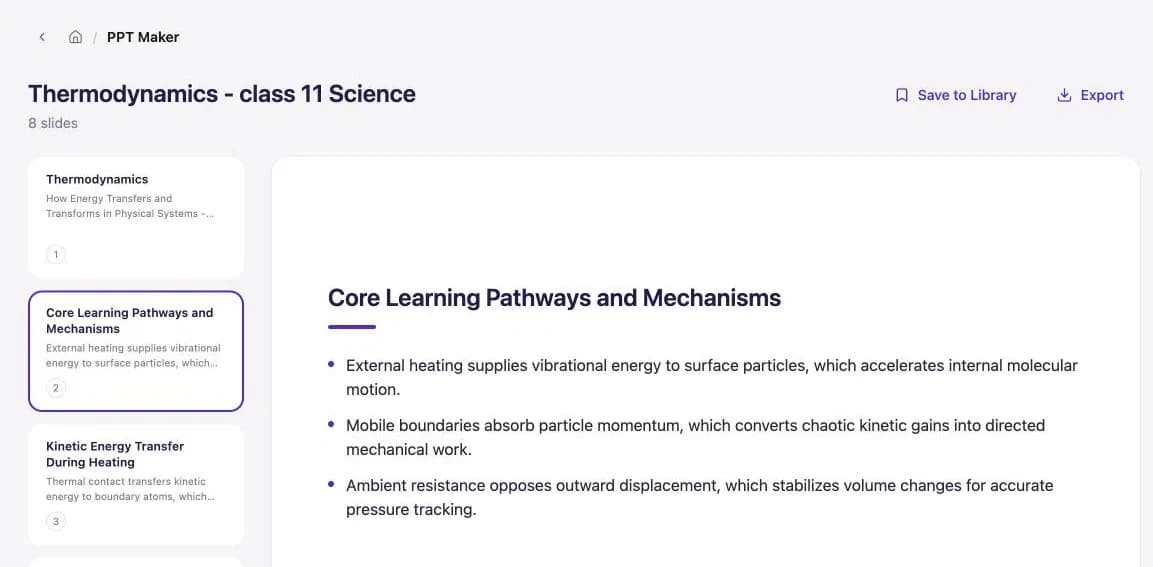
Every screen is from the live product. The paper and slide deck were generated for this case study.
Generic AI
Blank prompt
teacher writes prompts
Generic answer
not their syllabus
Thrown away
and trust goes with it
teachX
Own material
PDF, scan or photos
One tool per job
class, subject, topic…
Use as-is
notes, papers, slides, grades
0
files uploaded by teachers
0
ready-to-use resources
01 · Structure
Tasks, not a chat box
- The risk:
- A blank prompt asks teachers to become prompt writers before they see any value.
- Decision:
- Each tool is a job teachers already do, with inputs they already know: class, subject, topic, difficulty, language.
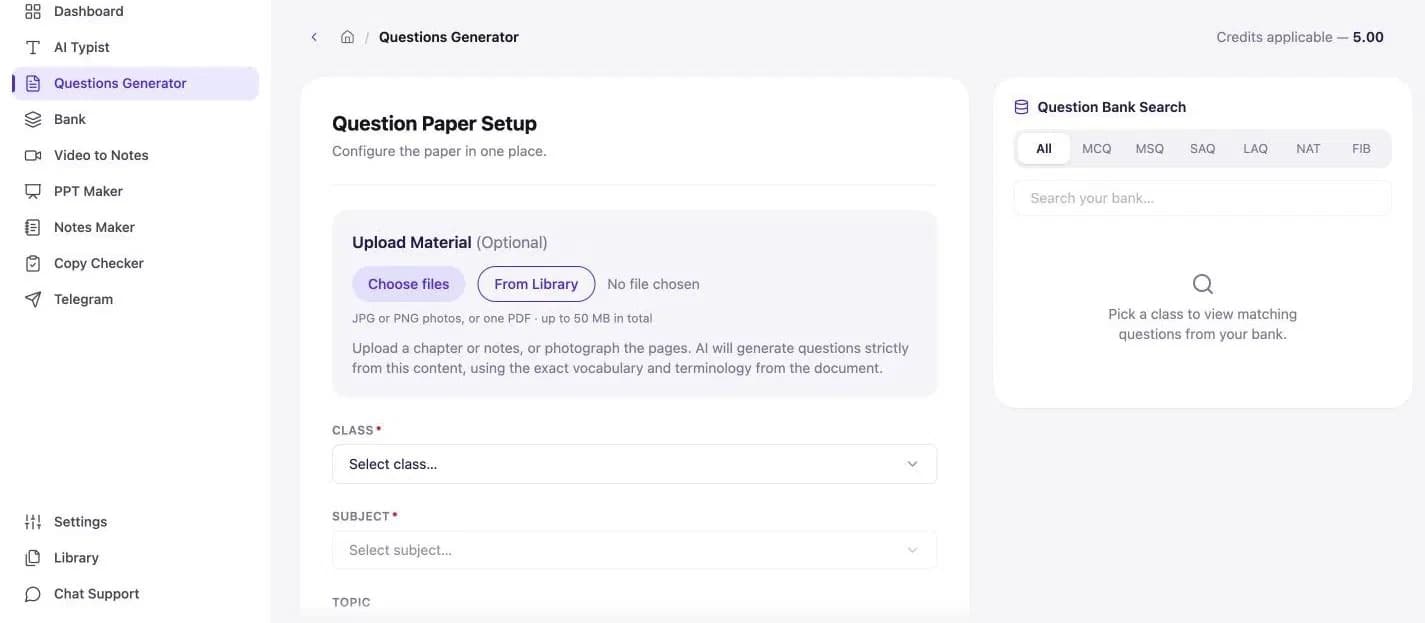
02 · Input
Start from the teacher’s own material
- The risk:
- Content that doesn’t match the syllabus gets thrown away, and trust goes with it.
- Decision:
- Every tool accepts a PDF, a scan or photos of the pages. Questions are written strictly from that content, in the document’s exact vocabulary.

03 · Reuse
Create once, reuse everywhere
- The risk:
- Teachers rebuild the same questions every term because past work is scattered.
- Decision:
- Old papers feed a personal Question Bank. Picking a class while setting a paper instantly surfaces matching questions beside the form.
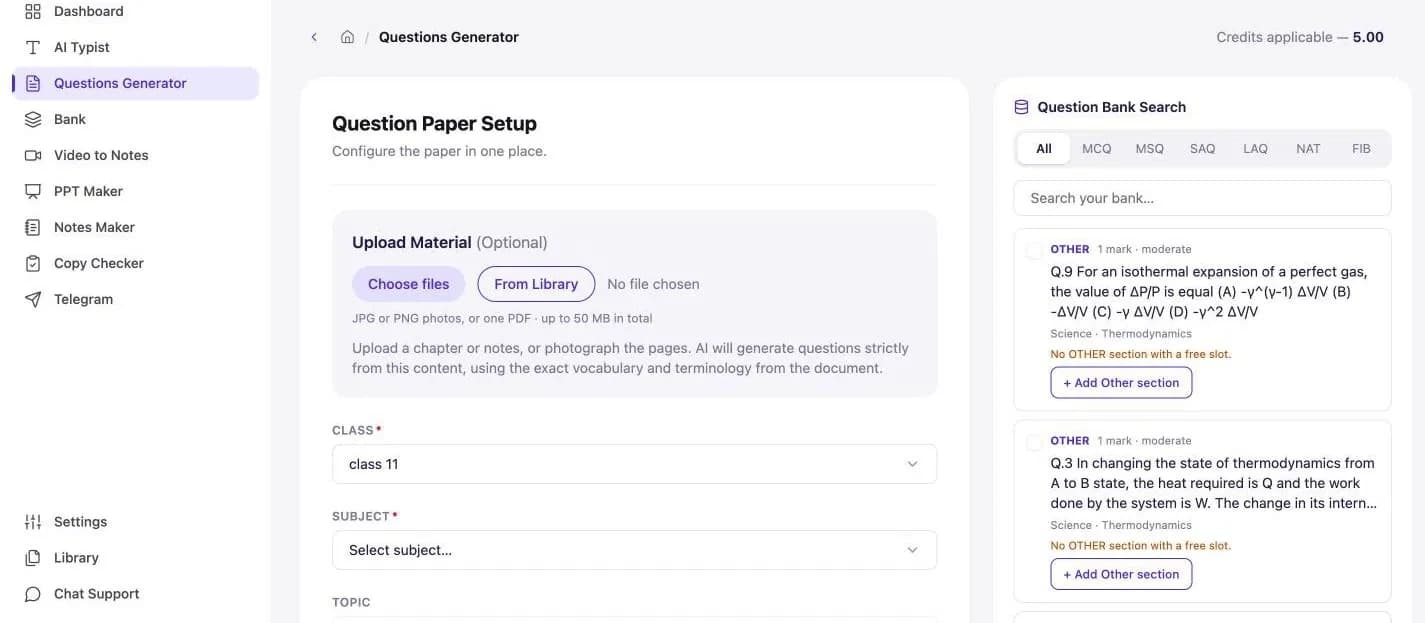
04 · Output
Output a teacher can use as-is
- The risk:
- A wall of AI text still needs hours of formatting before it reaches a class.
- Decision:
- Papers arrive in sections with marks, an answer key, shuffle, regenerate, export and save-to-bank. Slides arrive as a titled deck written for the students’ level.
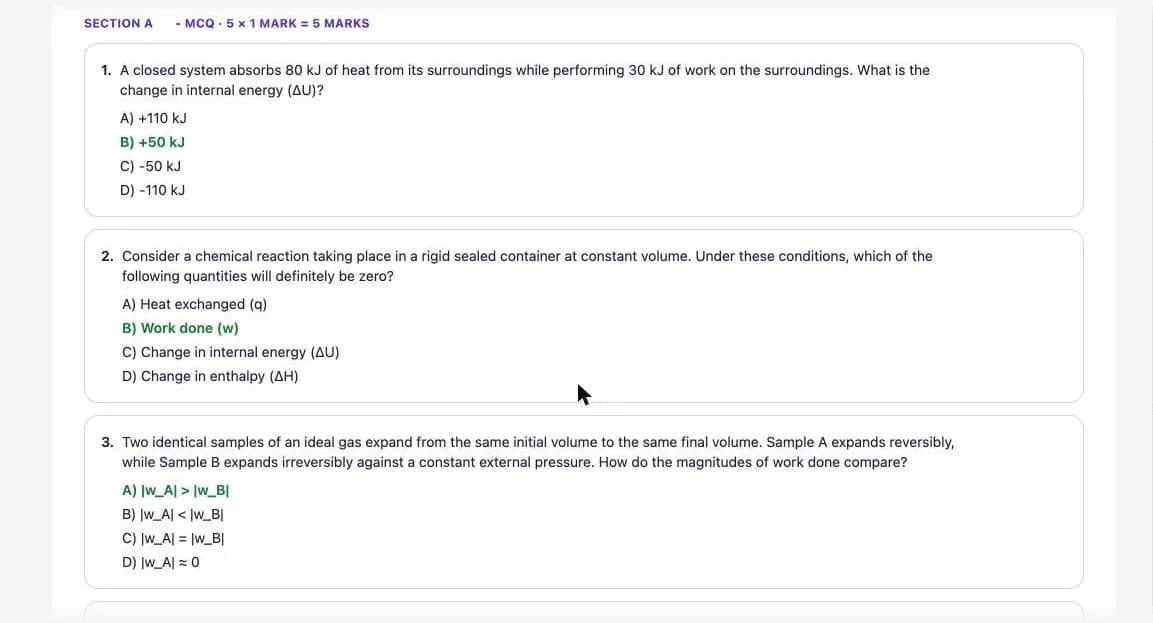
05 · Grading
Take on the hardest job: grading
- The risk:
- Grading is where teachers lose the most time, and where an AI mistake costs the most.
- Decision:
- Copy Checker grades handwritten sheets with configurable rules and part marks. A five-step flow with an AI review stage keeps the teacher in the loop.
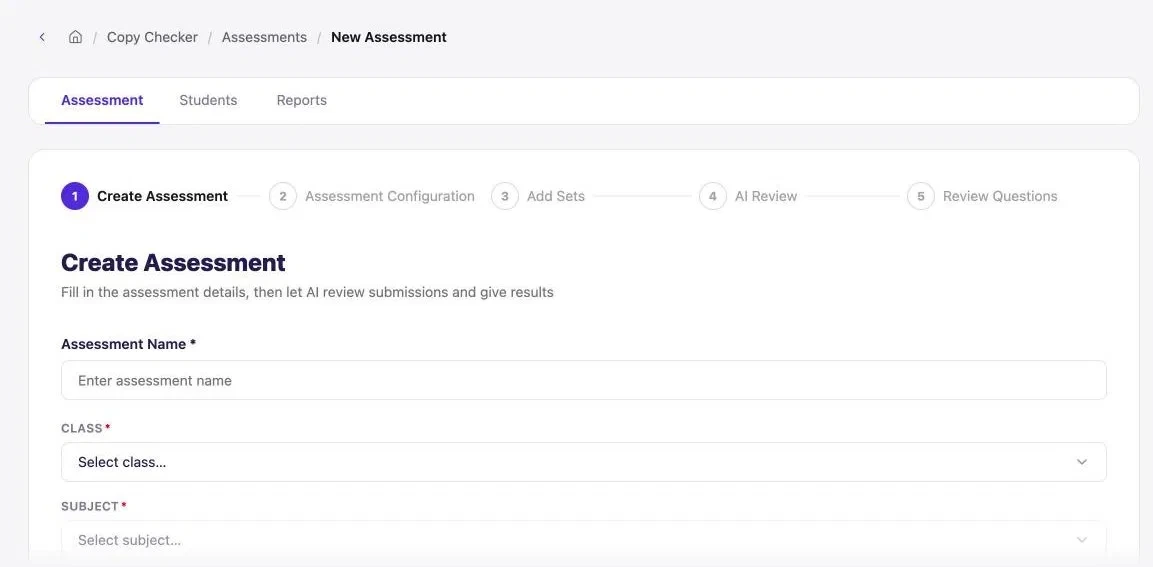
Create
the assessment
Rules
and part marks
Add sets
handwritten sheets
AI review
marks every answer
Teacher reviews
in the loop
0/27
answer sheets graded without a failure
0%
of 378 answers earned part marks, not just right or wrong
04Results
Measured on real work done.
1,085
AI tasks completed
458 uploaded files became 776 ready-to-use resources. Every task is a teacher’s evening, or part of one, handed back.
Metric
Acquisition
6×
What it means: Sign-up growth from the first full month to the second, still accelerating
Retention
76%
What it means: Of teachers who used the AI tools came back for more
Reuse
1,209
What it means: Questions in teachers’ banks, two-thirds pulled from their own PDFs
Guardrail
Reliability
27/27
What it means: Answer sheets graded without a failure
Nuance
27%
What it means: Of 378 answers earned part marks, not just right or wrong
Support
6
What it means: Tickets across 300+ teachers
Where teachers spend their time: AI Typist, Question Paper Generator and PPT Maker account for about two-thirds of all use. The other 13 tools share the remaining third.
3 tools · about two-thirds
AI Typist, Question Paper Generator, PPT Maker
13 tools · a third
Everything else
05Risks & next
What I watched, what I gave up, what’s next.
Risks & mitigations
- Unfair AI marks: Configurable rules, part marks and an AI review step, proven small before scaling.
- Drifting from the syllabus: Generation is tied to the teacher’s material and its exact terms.
- Surprise costs: Every tool shows its credit cost before it runs.
Trade-offs
- Speed over documentation: No PRD meant decisions happened in live calls. Faster to ship, with the product as the record.
- Breadth at launch: 16 tools let teachers show us which jobs matter. Usage now narrows the focus.
The biggest lever: getting new teachers to that first result
Next
- Activation: About a third of sign-ups ran a first AI task. Getting new teachers to that first result is the biggest lever.
- Double down: Invest in the top three tools, where teachers already spend their time.
- Scale grading: Take Copy Checker beyond its first assessments.
What I learned
Teachers don’t want the smartest AI. They want their evening back.
A handful of tools carried most of the work, and the tools that started from a teacher’s own material were the ones that got used.